On this page
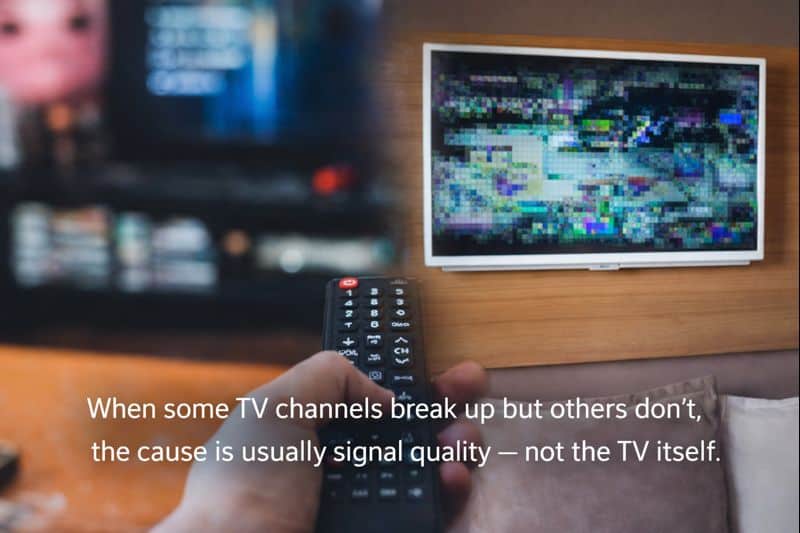
One of the most confusing TV problems is when some channels work perfectly, while others break up, freeze, pixelate, or disappear completely.
It’s frustrating — and it often leads people to assume the TV is faulty, or that the aerial is “half working”. In reality, this is a very common issue with a clear cause, and it’s usually fixable once you know what’s going on.
Why this happens so often with digital TV
Digital TV doesn’t behave like old analogue TV. With analogue, a weak signal meant a gradually fuzzier picture. With digital TV, the picture stays perfect — until the signal drops below the threshold and you get blocking, freezing, sound drop-outs, or “no signal”.
If what you’re seeing looks like blocky squares or freezing, this guide will help you recognise the patterns: Why is my TV pixelating? 10 causes and how to fix them.
The key idea: channels are broadcast in groups
This is the simplest explanation of why the problem looks selective:
TV channels are broadcast in groups called multiplexes. Each multiplex carries several channels together. If one multiplex is weak at your home, only the channels on that multiplex will be affected.
That’s why you might see BBC channels fine, while ITV/Channel 4 break up — or HD channels fail while SD channels work.
Common signs you’re dealing with a multiplex issue
- Some channels are perfect while others pixelate
- HD channels struggle but SD channels seem okay
- The issue is worse at certain times of day
- Your TV shows “signal”, but the picture still breaks up
Signal strength vs signal quality (why the TV meter can mislead you)
Many TVs show a “signal strength” bar, but that doesn’t tell the full story.
- Signal strength = how much signal arrives
- Signal quality = how clean and usable that signal is
You can have strong signal with poor quality (noise/interference), or enough signal for some multiplexes but not others. Pixelation is usually a quality problem, not simply a strength problem.
Aerial alignment issues
Aerials need to be aligned precisely to the local transmitter. If the alignment is slightly off:
- stronger multiplexes may still work
- weaker multiplexes can break up or vanish
This often happens after high winds, roof work, or gradual movement over time. If weather seems to trigger it, read: Why your TV loses signal in bad weather.
Older or unsuitable aerials
Not all aerials are equal — and older aerials don’t always cope well with modern broadcast conditions. Issues can appear if your aerial is:
- very old or corroded
- the wrong type for local signal conditions
- poorly installed or mounted
If you’re unsure what aerial you have (or what you should have), this guide explains it clearly: Which TV aerial do I need? A plain-English guide for UK homes (2026).
Cabling and connections (a very common cause)
Signal problems often happen between the aerial and the TV. Common culprits include:
- old or thin coax cable
- poorly fitted plugs
- crushed, kinked, or damaged cable
- water ingress at outdoor joins
- cheap splitters, wall plates, or distribution gear
Small losses add up — and weaker multiplexes are usually the first to fail.
Why boosters often make this worse
Boosters don’t “clean” a signal — they amplify what they’re given.
If the incoming signal is already noisy or unstable, a booster can:
- increase pixelation
- cause channels to disappear
- overload the TV tuner
This is why a proper diagnosis is usually better than guessing. (If you’re seeing pixelation, start here first: Why is my TV pixelating?)
Weather makes the problem visible (but usually isn’t the cause)
If the problem is worse in wind or rain, weather is usually revealing an underlying weakness — such as a loose mounting, slight misalignment, or water ingress — rather than being the root cause itself.
Retuning: why it rarely helps (and can make it worse)
Retuning is one of the most common mistakes.
If you retune while the signal is unstable:
- channels may not store correctly
- the TV may lock onto the wrong transmitter
- weaker multiplexes may disappear entirely
In most cases, you should fix the signal issue first — then retune only if needed.
Is it ever the TV itself?
Very rarely. It may be the TV if:
- only one TV is affected
- other TVs on the same aerial are fine
- the TV is very old or has a tuner fault
Most of the time, the issue is external: aerial alignment, cabling, distribution, or local conditions.
How this is properly diagnosed
A professional signal test checks:
- signal strength
- signal quality
- error rates
- performance across multiplexes
This quickly reveals which multiplex is weak, where signal loss is happening, and whether the cause is the aerial, cabling, or interference.
For impartial guidance on TV interference (UK regulator), Ofcom is a solid authority reference: Ofcom guidance on TV & radio interference.
The bottom line
If some channels break up but others don’t, the system is telling you something specific. It’s not random, and it’s rarely the TV. Once the underlying issue is identified and corrected, all channels stabilise — not just some of them.
FAQ (specific to this article)
Note: The questions below are written specifically to support this article’s topic (why some channels break up but others don’t). Your site also has a separate, general FAQ in the footer across all posts.
Why do only some channels pixelate while others are perfect?
Because channels are broadcast in groups (multiplexes). If one multiplex is weaker at your home, only the channels carried on that multiplex will break up.
My TV shows high signal strength — so why do channels still break up?
Signal strength isn’t the same as signal quality. You can have strong signal with poor quality due to noise, interference, or cabling losses.
Will a signal booster fix channels that keep breaking up?
Not always. Boosters amplify noise as well as signal and can overload the TV tuner. It’s usually better to diagnose alignment, cabling, and quality first.
Does bad weather cause some channels to disappear?
Weather usually exposes an existing weakness (loose aerial, slight misalignment, water ingress) rather than being the root cause on its own.
Should I retune when channels are breaking up?
Usually no. Retuning during unstable signal can make things worse by losing channels or storing the wrong transmitter. Fix the signal first.
Is it ever the TV’s fault?
Rarely. It’s more likely the aerial, cabling, or distribution system — unless only one TV is affected and other TVs on the same setup are fine.
