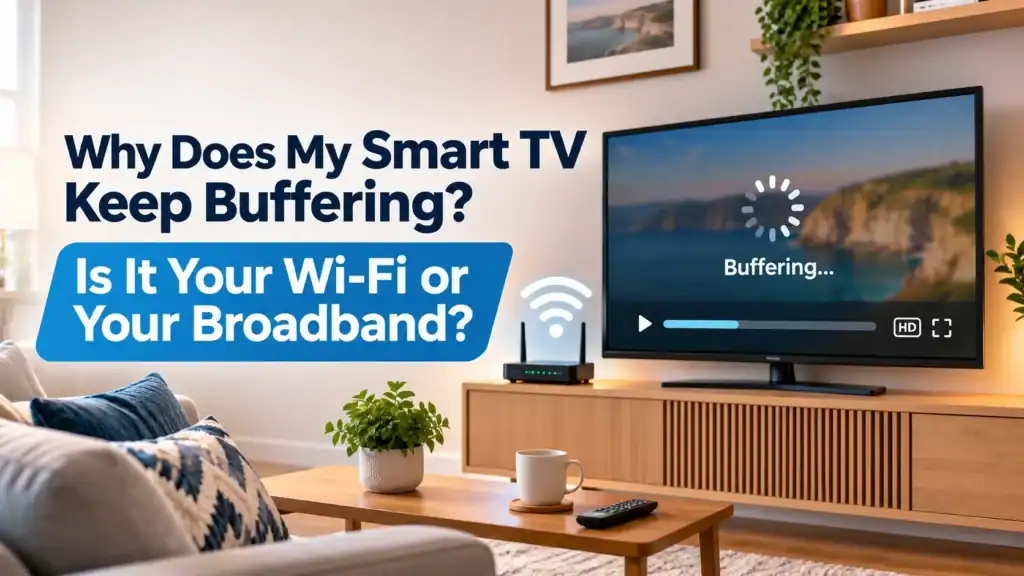
You’re halfway through a film on Netflix, watching something on BBC iPlayer or enjoying a live sporting event when the picture suddenly freezes. A spinning circle appears, and you’re left waiting for the programme to start again.
It’s frustrating, particularly when you’re paying for a fast broadband connection.
But here’s something that surprises many people: your broadband might not be the problem at all.
In homes across Sussex, slow or unreliable Wi-Fi can make streaming television difficult even when the internet connection coming into the property is perfectly good.
Understanding what’s causing the problem is the first step towards fixing it.
Is Your TV Buffering or Pixelating?
Before looking at your Wi-Fi, it’s worth making an important distinction.
If you’re watching traditional Freeview television through an aerial and the picture breaks into little squares, freezes or disappears, that’s generally a television reception problem rather than a Wi-Fi problem.
If this sounds familiar, see our guide to why your TV is pixelating and how to fix it.
However, if you’re watching Netflix, Amazon Prime Video, BBC iPlayer, YouTube or another internet-based service, your television depends on your broadband connection.
Services such as Freely also use the internet to deliver live television.
If these services keep buffering, the problem could involve your broadband, your home Wi-Fi network, the television itself or the streaming service.
The symptoms can look similar, but the solutions are often quite different.
Why Does My Smart TV Buffer When My Broadband Is Fast?
A fast broadband package doesn’t automatically mean good Wi-Fi throughout your home.
Your broadband provider delivers an internet connection to your router. Your router then needs to distribute that connection to the devices around your property.
That’s where problems can begin.
Perhaps your router is in the hallway while your television is in a rear extension. The Wi-Fi signal might have to pass through several solid walls before reaching the TV.
You could have excellent broadband speeds next to the router but a much weaker and less reliable connection in the living room.
Common causes include:
- A weak Wi-Fi signal where the television is positioned.
- Thick walls, floors or insulation interfering with the signal.
- A router hidden behind furniture or other equipment.
- Interference from neighbouring wireless networks.
- Several devices using the connection simultaneously.
- Older Wi-Fi equipment struggling with modern demands.
Sometimes the television’s software or the streaming app itself is responsible, so it’s important not to assume every buffering problem requires new equipment.
For a more detailed explanation of wireless connection problems, read our article on why Wi-Fi keeps dropping and how to fix it.
Five Things to Check Before Spending Money
There are several straightforward checks worth trying before buying another router or calling an engineer.
1. See Whether Other Devices Are Affected
When your television starts buffering, try using the internet on your phone or laptop.
If everything is struggling, the problem might be with your broadband connection.
If your phone works perfectly but the television keeps freezing, the problem could be the Wi-Fi connection to the television or the TV itself.
2. Restart Your Router and Television
It sounds obvious, but restarting equipment can clear temporary connection problems.
Turn off the television and restart the router, allowing it to reconnect fully before testing the streaming service again.
If the problem keeps returning, though, a restart is unlikely to provide a permanent solution.
3. Check Your Wi-Fi Signal
Look at the network information on your smart TV, if available.
A weak signal can explain why streaming is unreliable, particularly when the television is some distance from the router.
Remember that the number of Wi-Fi bars displayed doesn’t always tell you how fast or stable the connection actually is.
4. Try Another Streaming Service
If Netflix keeps buffering but BBC iPlayer and YouTube work normally, the problem might be specific to Netflix or its app.
Check for app and television software updates, and see whether the streaming provider is reporting any problems.
5. Test a Wired Connection
If your television has an Ethernet socket and you can safely connect it directly to the router, try doing so.
If streaming becomes reliable over Ethernet, that strongly suggests the wireless connection may be contributing to the problem.
A wired connection can often provide a more consistent experience for devices that stay in one place.
Local TV also provides professional Ethernet cable installation for homes and businesses across Sussex.
Will a Wi-Fi Booster Stop My TV Buffering?
Possibly, but it’s not always the best solution.
Cheap plug-in Wi-Fi extenders are popular because they seem like an easy way to improve coverage.
The difficulty is that an extender needs to receive a decent wireless signal before it can pass that connection on.
If you’re already struggling with a weak or unstable signal, adding an extender in the wrong position may achieve very little.
In some homes, a properly configured mesh Wi-Fi system can provide better coverage.
In others, installing a dedicated wireless access point or running Ethernet cabling to the television will produce a more reliable result.
The right answer depends on the property and the existing network.
Why Professional Wi-Fi Installation Can Make a Difference
When Wi-Fi problems keep returning, it’s tempting to replace the router, buy another extender or upgrade to a more expensive broadband package.
But that can become an expensive guessing game.
A professional Wi-Fi installation starts by identifying where the connection is failing.
An engineer can assess the property layout, router position, existing equipment and the areas where reliable coverage is needed.
Depending on the findings, the solution might involve:
- Improving the position or configuration of your existing router.
- Installing a mesh Wi-Fi system.
- Adding professionally positioned wireless access points.
- Running Ethernet cabling to televisions and other devices.
- Improving coverage in extensions, upstairs rooms or garden offices.
The aim isn’t simply to give your television a stronger-looking Wi-Fi signal. It’s to make sure the connection is reliable enough for everyday use.
Find out more in our guide to professional Wi-Fi installation and when a new router isn’t enough.
Better Wi-Fi Means More Than Better Television
Solving a streaming problem can have benefits throughout your home.
The same poor coverage that causes Netflix to buffer might also explain why video calls freeze upstairs, smart home equipment disconnects or your phone struggles to maintain a wireless connection.
With more households relying on internet-connected devices, having a properly planned home network is becoming increasingly important.
And you don’t necessarily need to change broadband providers to achieve it.
Professional Wi-Fi Installation Across East and West Sussex
Local TV Aerials & Satellite Services helps homeowners and businesses improve unreliable Wi-Fi connections throughout East and West Sussex.
Whether your smart TV keeps buffering, your connection won’t reach upstairs or you’re struggling with Wi-Fi in an extension or garden office, we can assess the problem and recommend a practical solution.
We provide Wi-Fi setup and installation, mesh systems, wireless access points and Ethernet cabling, helping you get a reliable connection where you actually need it.
If you’re tired of watching that spinning buffering circle, give us a call on 0800 802 1791 to discuss your Wi-Fi problems and arrange a survey.
Frequently Asked Questions
Why does Netflix buffer when my internet speed is good?
Your broadband may be fast, but the Wi-Fi connection between your router and television could be weak or unreliable. Streaming app problems, network congestion and television software issues can also cause buffering.
Is Ethernet better than Wi-Fi for a smart TV?
A properly installed Ethernet connection is generally more consistent because it doesn’t depend on a wireless signal travelling through walls or competing with nearby networks.
Will upgrading my broadband stop buffering?
Not necessarily. If your broadband connection is already fast enough but the Wi-Fi signal reaching your television is poor, paying for a faster package may not solve the problem.
Can an engineer improve Wi-Fi without replacing my router?
Yes. Depending on the property, better router positioning, wireless access points, mesh Wi-Fi or Ethernet cabling may improve coverage without requiring a replacement router.
Can you help with Wi-Fi problems elsewhere in the house?
Yes. Local TV Aerials & Satellite Services provides Wi-Fi installation and networking solutions for bedrooms, extensions, garden offices and other areas where wireless coverage is poor.
