
By Local TV Aerials & Satellite Services – Wi-Fi and home networking specialists across East and West Sussex.
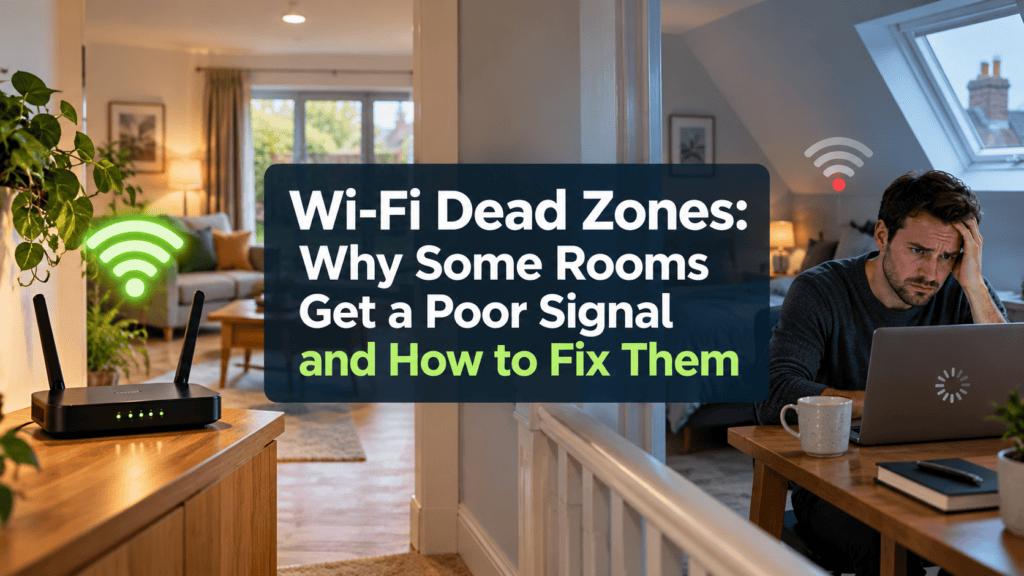
You might have an excellent Wi-Fi connection in your living room but barely enough signal to load a website in an upstairs bedroom. Perhaps your broadband works perfectly in the house but won’t reach the garden office. Or maybe you’ve noticed that video calls always seem to freeze in one particular room.
These are all common signs of Wi-Fi dead zones, and they’re a problem in properties throughout East and West Sussex.
The frustrating thing is that your broadband may be perfectly good. The difficulty is getting a reliable wireless signal to every part of your home.
Fortunately, there are several ways to improve Wi-Fi coverage, and you don’t necessarily need a faster broadband package to solve the problem.
What Is a Wi-Fi Dead Zone?
A Wi-Fi dead zone is an area of your property where the wireless signal is too weak to provide a reliable connection, or where there’s no usable signal at all.
Sometimes the problem is obvious. Your phone loses its connection as soon as you walk into a particular room.
Other times, the signal appears to be available, but websites load slowly, television programmes buffer or video calls become unreliable.
This happens because Wi-Fi signals have to travel from your router to the devices you’re using. Along the way, they can be weakened by walls, floors, distance and interference from other equipment.
The further the signal travels, and the more obstacles it encounters, the harder it becomes to maintain a reliable connection.
Why Do Some Rooms Have Poor Wi-Fi?
There isn’t one single explanation. The construction of your property, where the router is positioned and the layout of the rooms can all play a part.
Thick Walls and Older Properties
Many homes across Sussex have solid brick, stone or flint walls that can make wireless coverage difficult.
Older houses in Lewes, Brighton, Eastbourne and Hastings can be particularly challenging, especially where buildings have been extended or converted over the years.
Modern construction can present problems too. Foil-backed insulation, underfloor heating systems and certain types of glazing can all reduce the strength of a wireless signal.
A router that works perfectly well in one room may struggle to reach the next.
Router Position
Broadband routers are often installed wherever the incoming telephone or fibre connection happens to enter the property.
Unfortunately, that’s not necessarily the best place for distributing Wi-Fi.
A router tucked behind a television, inside a cupboard or at one end of a large house may struggle to provide coverage throughout the building.
Moving it into a more central, open position can sometimes make a noticeable difference.
Upstairs Bedrooms and Loft Conversions
Wi-Fi signals don’t always travel well between floors.
The construction of ceilings, floors and stairwells can affect coverage, particularly in larger houses or properties with loft conversions.
You may find that the connection is excellent downstairs but becomes unreliable in the bedrooms or converted attic.
Extensions and Garden Rooms
An extension can create a new Wi-Fi problem even when the original house has excellent coverage.
Exterior walls that once formed the boundary of the building may now sit between your router and the new rooms.
Garden offices are another common problem. Even when they’re relatively close to the house, the combination of distance, exterior walls and insulation can make wireless coverage unreliable.
Why Buying a Wi-Fi Booster Isn’t Always the Answer
When Wi-Fi doesn’t reach a particular room, many people buy a plug-in extender or booster.
These devices can be helpful in certain situations, particularly where a small improvement in coverage is needed.
However, they have limitations.
A conventional wireless extender has to receive a sufficiently good signal from the main router before it can pass that connection on.
If the extender is placed in an area where the original signal is already poor, it may simply repeat an unreliable connection.
Some extenders can also reduce available speeds or create difficulties when devices move between different parts of the home.
That’s why adding more equipment without first understanding the problem can lead to disappointing results.
Could a Mesh Wi-Fi System Help?
Mesh Wi-Fi systems are designed to provide wireless coverage over a wider area using multiple units.
Instead of relying entirely on one router, a mesh system uses strategically positioned devices to distribute the connection around the property.
This can be an effective solution for larger homes, multi-storey properties and buildings with rooms that are difficult to reach.
However, mesh systems aren’t all the same, and positioning is important.
If the individual units cannot communicate effectively with one another, the performance of the whole system can suffer.
In some properties, connecting the mesh units using professional Ethernet cabling provides a more reliable solution than relying entirely on wireless connections.
When Wired Wi-Fi Access Points Make More Sense
For more demanding installations, a wired wireless access point can be a particularly effective solution.
An access point is connected to the main network, usually through Ethernet cabling, and provides Wi-Fi coverage in the area where it’s installed.
This means the wireless signal doesn’t have to travel through several walls from the original router.
For example, an access point installed upstairs can provide better coverage to bedrooms, while another positioned in a rear extension can serve rooms that would otherwise struggle to receive a reliable signal.
This approach is often worth considering in larger properties, home offices and buildings with particularly thick walls.
How Can You Improve Wi-Fi in a Garden Office?
Garden offices have become increasingly popular, but reliable internet access is essential if you’re using one for work.
A weak connection can make video meetings difficult, disrupt cloud-based applications and interfere with internet telephone calls.
There are several possible ways to extend a network to an outbuilding.
Depending on the distance and the layout of the property, these may include a suitable wired connection, a dedicated outdoor wireless link or a properly positioned access point.
Simply placing a Wi-Fi extender near the back door may not provide the reliability you need.
The best solution depends on the buildings, the distance between them and how the connection will be used.
How to Identify Wi-Fi Dead Zones in Your Home
Before buying new equipment, it’s worth carrying out a few simple checks.
- Test near your router: Check how the connection performs close to your main router before moving through the house.
- Identify problem rooms: Note where performance deteriorates, especially where you stream television, work or make video calls.
- Check router positioning: Move the router away from large metal objects, thick furniture and other electronic equipment where possible.
- Compare different devices: See whether several phones, laptops or tablets experience the same problem.
- Check actual performance: Don’t rely entirely on the Wi-Fi signal bars displayed on your phone. A strong-looking signal doesn’t necessarily mean a fast or reliable connection.
If you’ve tried these checks and still have unreliable coverage, our guide to why your Wi-Fi keeps dropping and how to fix it explains some additional problems worth investigating.
When Is Professional Wi-Fi Installation Worth Considering?
If you’ve already tried repositioning your router and checking the obvious causes, but still have rooms where Wi-Fi barely works, a professional assessment may be the most effective next step.
Rather than recommending the same equipment for every property, a professional installer can consider the layout of the building, the existing broadband connection, the devices being used and the areas where better coverage is needed.
The solution might be a mesh Wi-Fi system, additional wireless access points, Ethernet cabling or improvements to the equipment you already have.
Importantly, it should be designed around how you actually use your home or business.
Professional Wi-Fi Installation Across Sussex
Local TV Aerials & Satellite Services provides professional Wi-Fi installation and home network setup throughout East and West Sussex, including Lewes, Brighton & Hove, Eastbourne, Hastings and surrounding areas.
We help homeowners and businesses improve weak wireless signals, eliminate troublesome dead zones and establish reliable connections for home offices, bedrooms, extensions, smart TVs and garden rooms.
Whether you’re struggling with coverage in one room or need a more complete home-network solution, we can assess the problem and recommend suitable equipment and installation options.
Find out more about our Wi-Fi installation services across Sussex, or call 0800 802 1791 to discuss your Wi-Fi problems and arrange a visit.
