
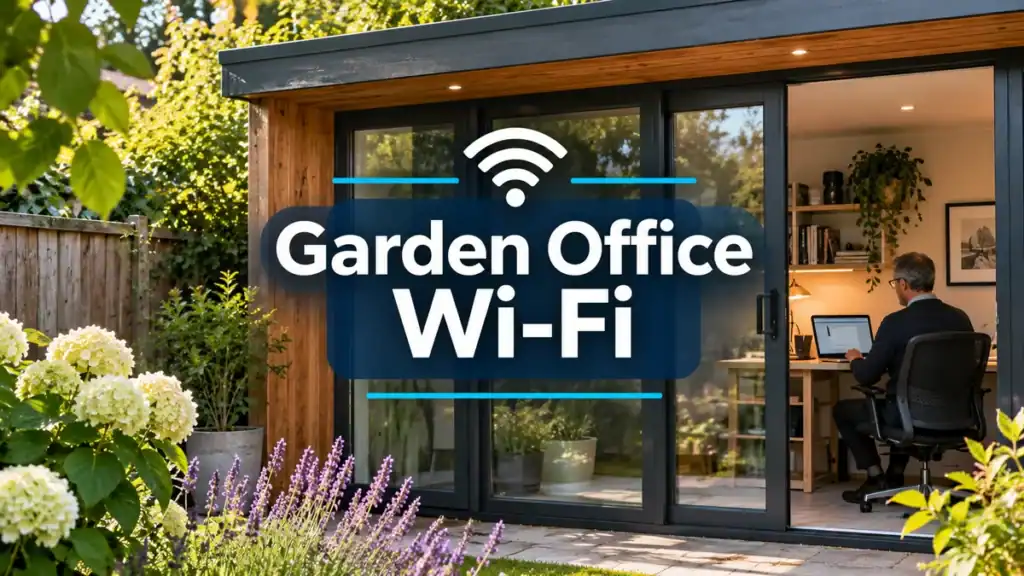
You’ve invested in a garden office, converted the garage into a workspace or built a garden room where you can work without interruptions.
There’s just one problem. The Wi-Fi barely reaches it.
Video calls freeze, websites take ages to load and your laptop keeps disconnecting. Perhaps you’ve already bought a Wi-Fi booster, only to discover it hasn’t made much difference.
It’s a surprisingly common problem, particularly in properties where the garden office is separated from the house by several metres of open space.
Fortunately, you don’t necessarily need a second broadband connection or a more expensive internet package to solve it.
The important thing is getting your existing connection reliably from the house to wherever you need it.
Why Doesn’t My Home Wi-Fi Reach the Garden Office?
Most household broadband routers are designed to provide wireless coverage inside the home.
Once the signal needs to travel through external walls, across the garden and into another building, things become more complicated.
Several factors can interfere with the connection:
- Distance: Wi-Fi signals generally weaken as you move further away from the router.
- External walls: Brick, stone and other building materials can significantly reduce signal strength.
- Insulation: Foil-backed insulation and metal-clad buildings can be particularly difficult for wireless signals to penetrate.
- Router position: A router at the front of the house may struggle to reach an office at the bottom of the garden.
- Interference: Other wireless networks and electronic equipment can affect connection quality.
The important distinction: Your broadband might be perfectly fast inside the house. It’s simply not reaching the garden office reliably.
Upgrading your broadband package won’t necessarily fix the problem.
For more on the causes of unreliable connections, read our guide to Wi-Fi dead zones and poor signal problems.
Will a Wi-Fi Booster Work in a Garden Office?
Sometimes, but it depends on the distance and the strength of the existing signal.
A typical plug-in Wi-Fi extender receives a wireless signal from your router and retransmits it.
The problem is that it needs a reasonably good connection to work effectively.
If the signal is already weak near the back of the house, the extender may simply repeat that weak connection.
You might see more Wi-Fi bars on your laptop without experiencing much improvement in performance.
For a garden office close to the house, a carefully positioned extender or mesh system might be sufficient.
For buildings further away, a more substantial solution is often needed.
Four Ways to Get Better Internet in Your Garden Office
There isn’t one solution that suits every property. The best approach depends on the distance, the building materials, your existing equipment and how you intend to use the connection.
1. Mesh Wi-Fi Systems
Mesh Wi-Fi systems use several connected units to distribute wireless coverage around a property.
They can be very effective in larger houses, extensions and areas where a single router struggles to provide coverage.
If your garden office is close enough to the house, a well-positioned mesh unit might improve the connection.
However, wireless mesh systems still depend on the quality of the connection between their units.
Placing another unit inside a distant garden building won’t necessarily solve the problem if it cannot establish a reliable connection to the main network.
We explain the differences between mesh systems and dedicated wireless access points in our guide to Mesh Wi-Fi vs Access Points: Which Is Better for Your Home?
2. A Dedicated Wireless Bridge
For detached garden offices, workshops and outbuildings, a point-to-point wireless bridge can be an effective solution.
This involves installing two suitable wireless devices, typically positioned on the outside of the house and the outbuilding.
The devices communicate with each other, creating a dedicated wireless connection between the buildings.
A wireless access point can then distribute the connection inside the garden office.
This avoids the need to dig a trench across the garden.
Wireless bridges generally work best when there is a suitable, unobstructed path between the buildings. Trees, buildings and the equipment’s positioning all need to be considered.
When correctly specified and installed, this approach can provide a much more dependable connection than relying on a weak signal from the household router.
3. A Wired Connection and Wireless Access Point
If you regularly work from your garden office, a properly installed wired network connection is often an excellent long-term solution.
Instead of relying entirely on wireless signals travelling across the garden, a dedicated connection links the outbuilding to the main network.
An access point inside the office can then provide Wi-Fi for laptops, phones and other devices.
For separate buildings, the type of cabling needs careful consideration. Fibre-optic connections are often preferred because they avoid the electrical risks associated with running copper network cabling between buildings.
The appropriate installation depends on the property, available cable routes and existing infrastructure.
For someone who spends several hours a day on video calls or transfers large files regularly, a professionally planned connection can be a worthwhile investment.
4. A Separate 4G or 5G Connection
Sometimes, connecting the garden office to the main house simply isn’t practical.
A suitable 4G or 5G router could provide an alternative, using the mobile network rather than relying on the household broadband connection.
This can be useful for more remote outbuildings or properties where running cables or installing a wireless bridge would be difficult.
However, performance depends on local mobile coverage, network capacity and the equipment used.
There’s also the potential cost of a separate mobile data plan to consider.
For most garden offices, it’s worth investigating whether the existing household broadband connection can be extended before paying for another service.
Why Reliable Garden Office Wi-Fi Matters
If you occasionally check emails from a garden room, a modest connection might be perfectly adequate.
But if the building is your main workplace, reliable internet becomes considerably more important.
You might depend on it for:
- Microsoft Teams, Zoom and other video meetings.
- Uploading and downloading large files.
- Cloud-based business software.
- Internet telephone systems.
- Security cameras and smart devices.
- Streaming television or music during breaks.
A connection that works reasonably well one minute but drops out the next can be particularly frustrating.
And faster broadband isn’t necessarily the answer.
The aim should be a stable, consistent connection that works throughout the working day.
Three Things to Check Before Buying More Equipment
Before spending money on another booster or router, there are a few useful checks you can make.
1. Test your connection inside the house
Run a broadband speed test while connected close to your main router.
This provides a useful starting point and helps establish whether the broadband itself is performing reasonably well.
2. Repeat the test in your garden office
If speeds are substantially lower or the connection repeatedly drops, the link between the house and outbuilding may be responsible.
3. Consider how the building is constructed
A timber garden room close to the house might have very different wireless requirements from a heavily insulated office with metal cladding.
These checks won’t identify every possible problem, but they can help you avoid buying equipment that doesn’t address the underlying issue.
Why Professional Wi-Fi Installation Can Save Money
One of the most common mistakes people make when trying to improve Wi-Fi coverage is buying equipment before establishing what’s actually wrong.
A booster doesn’t work, so they buy another one.
Then they replace the router.
Then they upgrade their broadband package.
Before long, they’ve spent a considerable amount of money without achieving a reliable connection.
A professional assessment starts with the property and the problem rather than a particular product.
An experienced installer can assess the distance between buildings, existing network equipment, signal strength, construction materials and available installation options.
The solution might be relatively simple. Alternatively, a wireless bridge or dedicated wired connection may be more appropriate.
The important thing is choosing equipment and an installation method suited to the property.
Read more about why professional Wi-Fi installation can make a difference.
Garden Office Wi-Fi Installation Across Sussex
Local TV Aerials & Satellite Services provides professional Wi-Fi installation and networking solutions throughout East Sussex and West Sussex.
Whether you’re struggling to get internet into a garden office in Lewes, a converted garage in Eastbourne or an outbuilding in Brighton, we can assess your existing setup and recommend a practical solution.
Our services include mesh Wi-Fi installation, wireless access points, network cabling and improvements to unreliable home networks.
We can supply suitable equipment or install compatible equipment you’ve already purchased.
If you’re planning a garden office, it’s worth thinking about the internet connection before the building is finished. Planning ahead can make cable routing and equipment installation considerably easier.
Already using a garden office with unreliable Wi-Fi? We can help you explore the options.
Get Reliable Wi-Fi in Your Garden Office
Whether you need better wireless coverage, a dedicated connection to an outbuilding or a complete home network upgrade, Local TV Aerials & Satellite Services can help.
We provide professional Wi-Fi installation throughout East Sussex and West Sussex, with solutions suited to your property and requirements.
Find out more about our Wi-Fi setup and installation services, or call us to discuss your requirements and arrange a survey.
Call 0800 802 1791Frequently Asked Questions
Can I get Wi-Fi in a garden office without running cables?
Yes. Depending on the distance and property layout, a mesh system or dedicated wireless bridge may provide a suitable connection without running a cable between the buildings.
Will a normal Wi-Fi extender reach the bottom of my garden?
Possibly, but performance depends on the existing signal, distance, obstructions and building materials. A plug-in extender may not be sufficient for a detached office.
Do I need separate broadband for my garden office?
Usually not. In many cases, the existing household broadband connection can be extended to the outbuilding using a suitable networking solution.
Is wired internet better for working from home?
A properly installed wired connection can offer greater consistency than relying on a weak wireless signal. It can be especially useful for video calls and other activities requiring a stable connection.
Can you improve Wi-Fi in an existing garden office?
Yes. Local TV Aerials & Satellite Services can assess the existing connection and recommend improvements suited to the building and its location.
